# Gantt: Connectors

### What Are Connectors in Gantt Charts?

{% hint style="success" %}

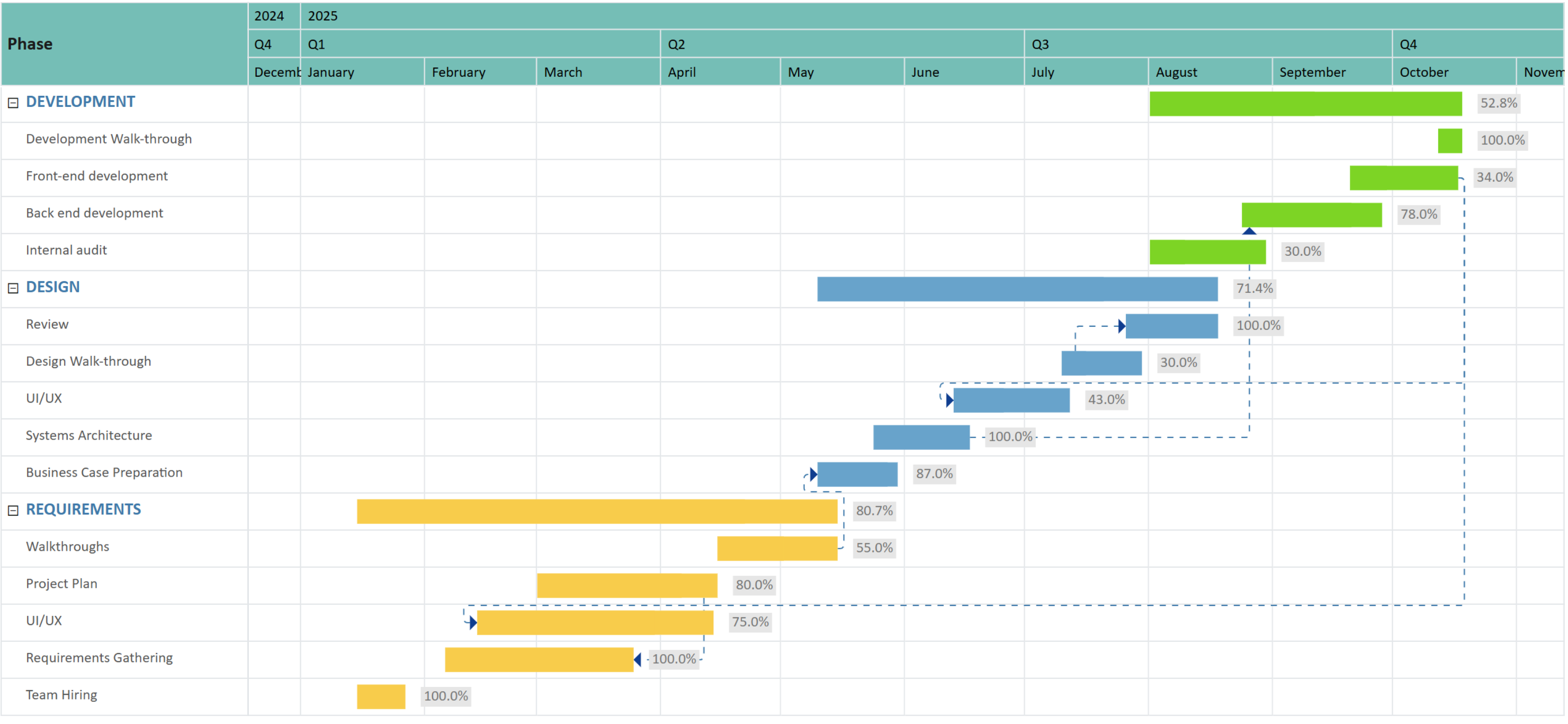
### Connectors in Gantt charts visually represent dependencies between tasks.

In enterprise planning scenarios, projects will have multiple inter-dependencies. Connector lines show how tasks are linked, the sequence of work, and how delays in one task can impact the overall project timeline.
{% endhint %}

<figure><img src="/files/JhfIgPBA5OnbLdk7sA4V" alt=""><figcaption><p>Gantt chart with connectors</p></figcaption></figure>

### Setup guide for connectors in Gantt charts

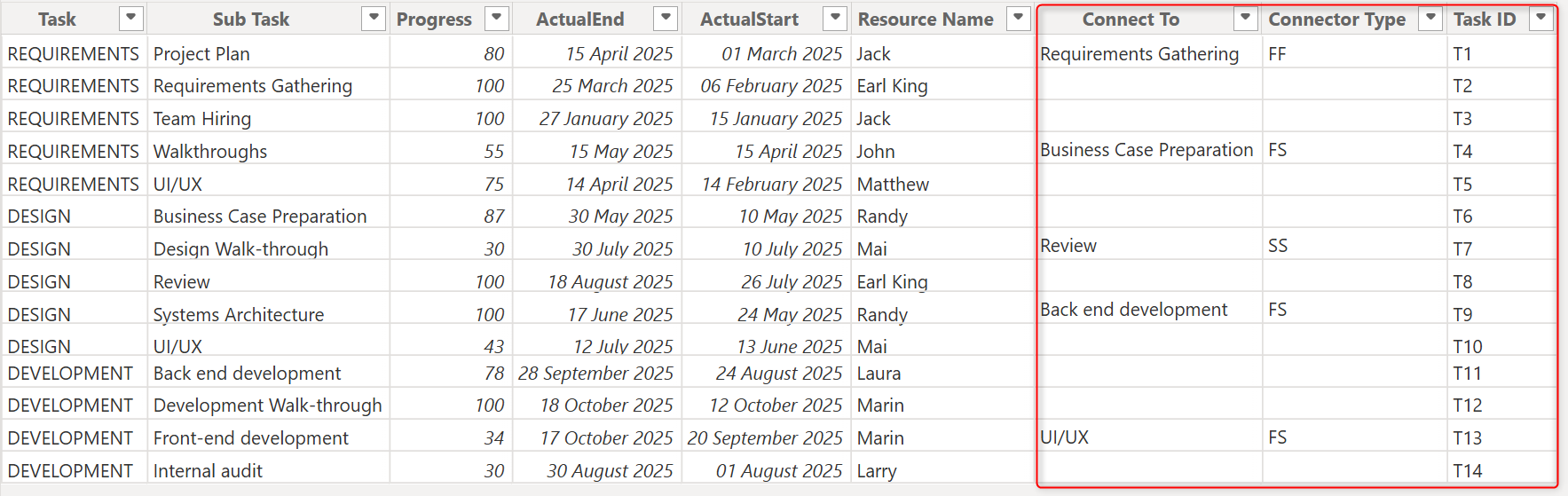
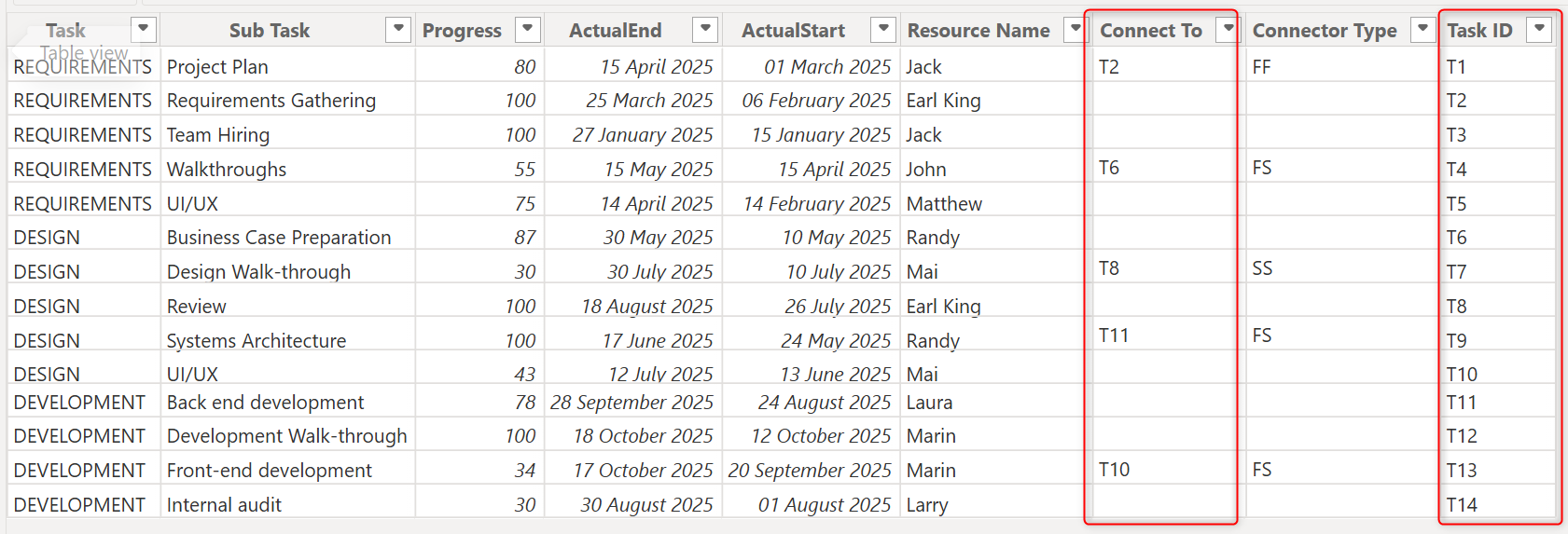
The **Connect to**, **Connector type**, and **Connector ID** data wells can be used to configure connectors in your Gantt charts. These fields have been highlighted in the sample dataset shown in the image.

<figure><img src="/files/t5Snu5BTMA5bWijOPwVr" alt=""><figcaption><p>Sample dataset for plotting connector lines</p></figcaption></figure>

#### **1. Connect to**

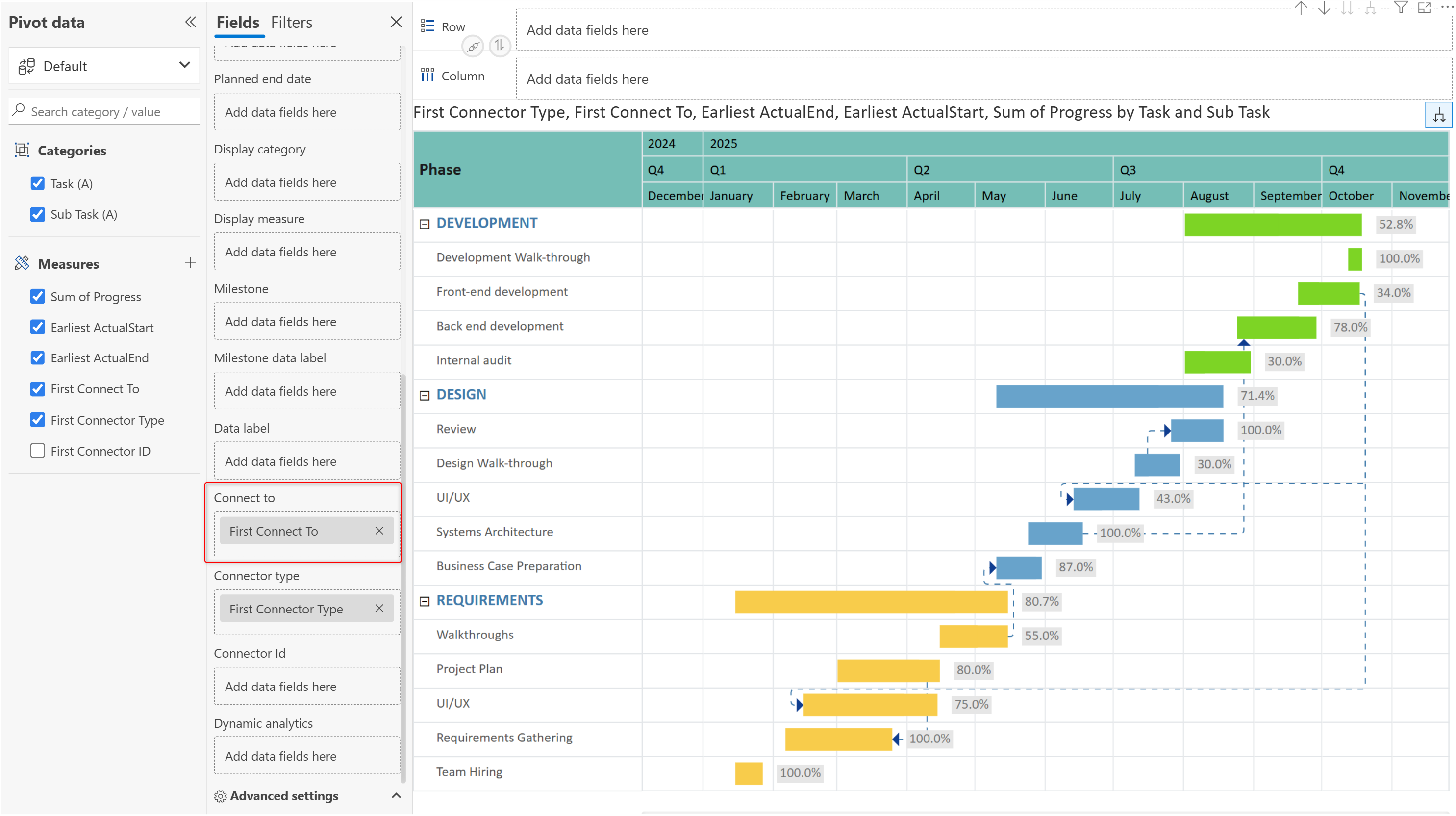
This field is mandatory to plot connector lines. It identifies the predecessor task for the current task, i.e., the task that the current task depends on.

<figure><img src="/files/TvZnOrAfrhsuuuUzJwSj" alt=""><figcaption><p>Plotting connector lines with the Connect To data well</p></figcaption></figure>

#### **2. Connector type:**&#x20;

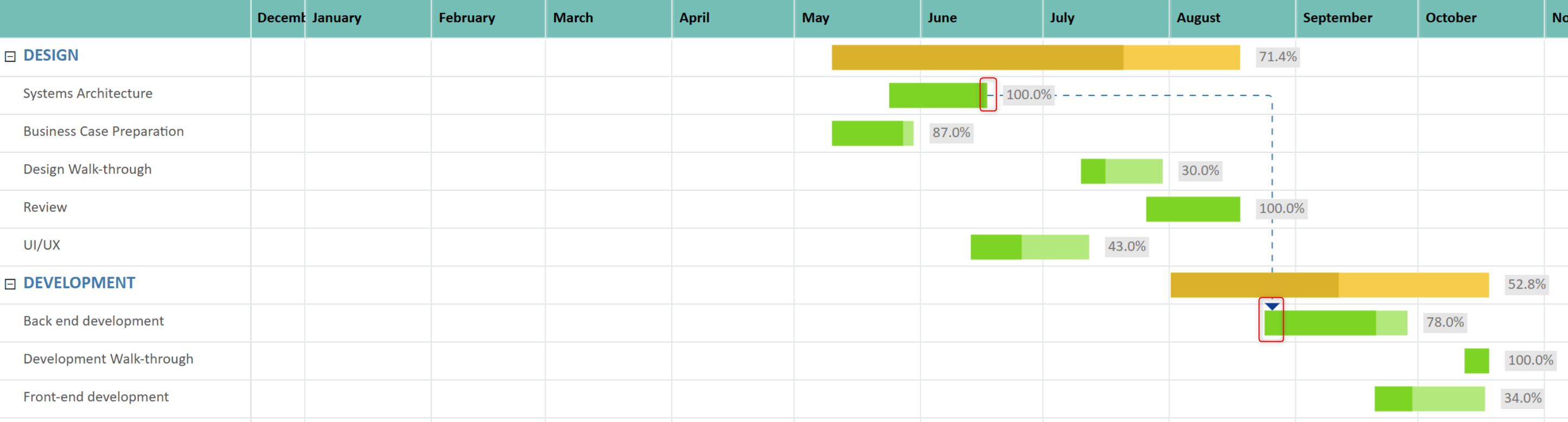
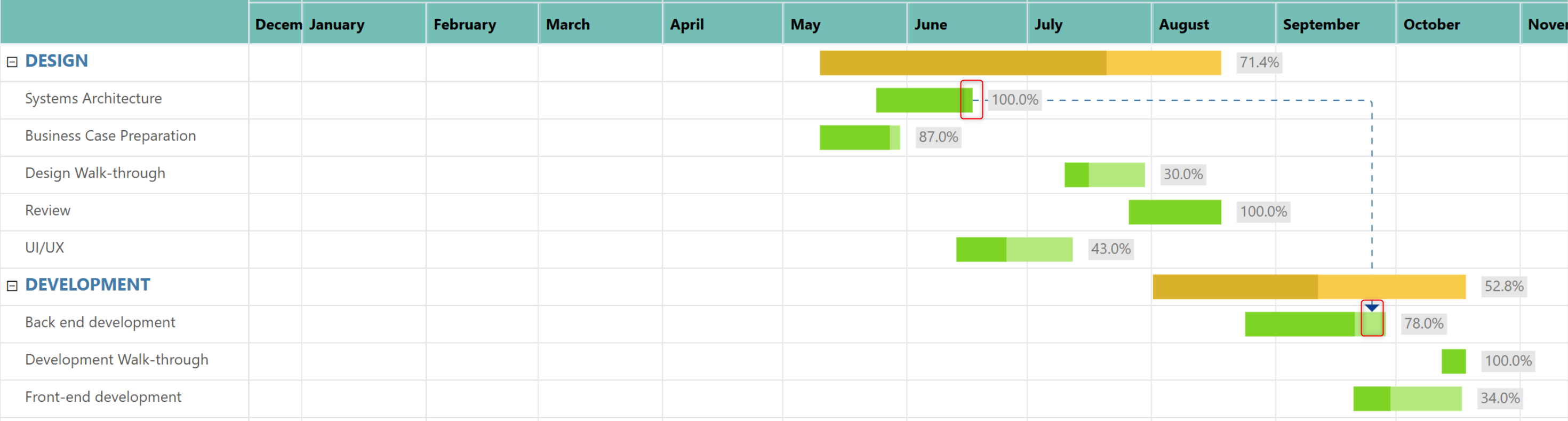
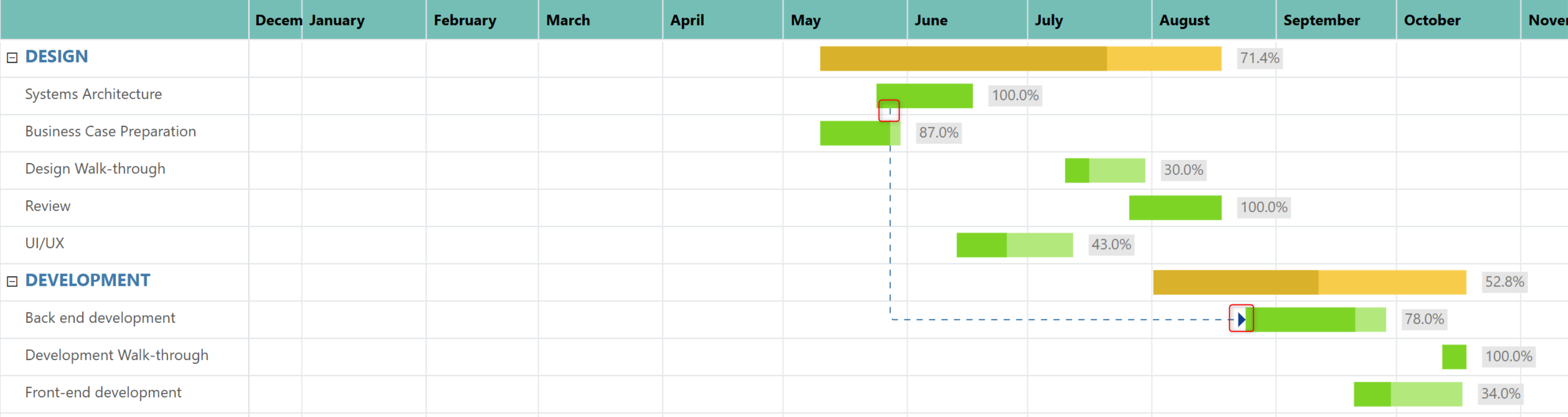
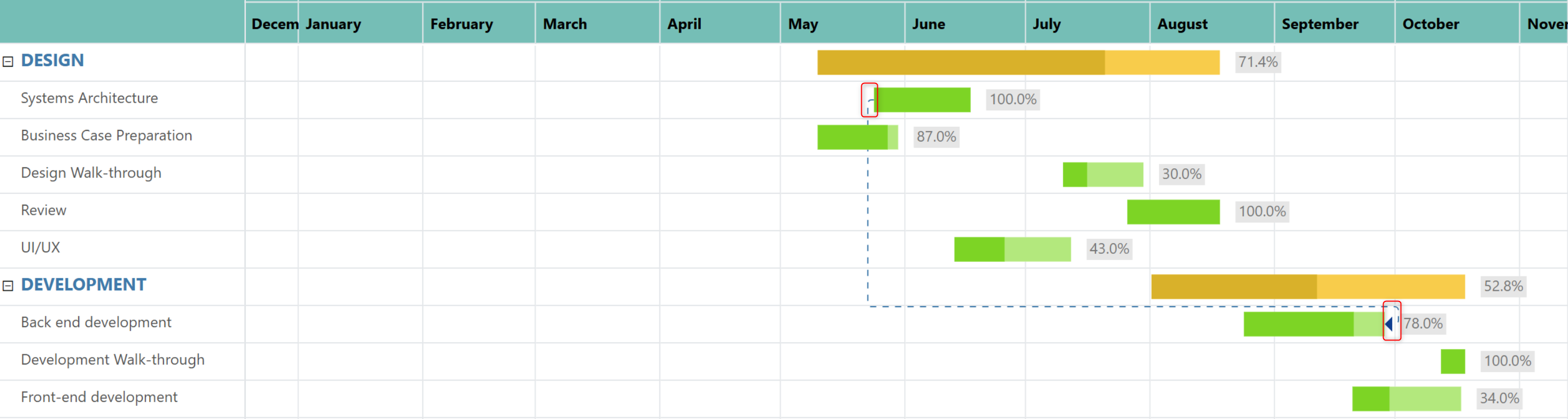
Determine how the start or completion of one task affects another. In the images below, notice how the connector lines are plotted at the beginning or end of the progress bar based on the connector type.

<div><figure><img src="/files/U6zx68bltlVPnmj3he1c" alt=""><figcaption><p>Connector type - Finish Start (FS)</p></figcaption></figure> <figure><img src="/files/Eps6LgWWgf9LOIi94mU7" alt=""><figcaption><p>Connector type - Finish Finish (FF)</p></figcaption></figure></div>

<div><figure><img src="/files/MUyS7eCsA1l9E7expSca" alt=""><figcaption><p>Connector type - Start Start (SS)</p></figcaption></figure> <figure><img src="/files/UsYkmFZOhoULMdHhz73l" alt=""><figcaption><p>Connector type - Start Finish (SF)</p></figcaption></figure></div>

<table><thead><tr><th width="246">Connector Type</th><th>Description</th></tr></thead><tbody><tr><td>FinishStart (FS)</td><td>The task can begin only after the predecessor task is completed.</td></tr><tr><td>StartStart (SS)</td><td>The task can start only after the predecessor task has started. Both tasks may run in parallel.</td></tr><tr><td>FinishFinish (FF)</td><td>The task can finish only after the predecessor task has finished. The tasks may start at different times but complete together.</td></tr><tr><td>StartFinish (SF)</td><td>The successor task can finish only after the predecessor task has started.</td></tr></tbody></table>

#### **3. Connector ID**

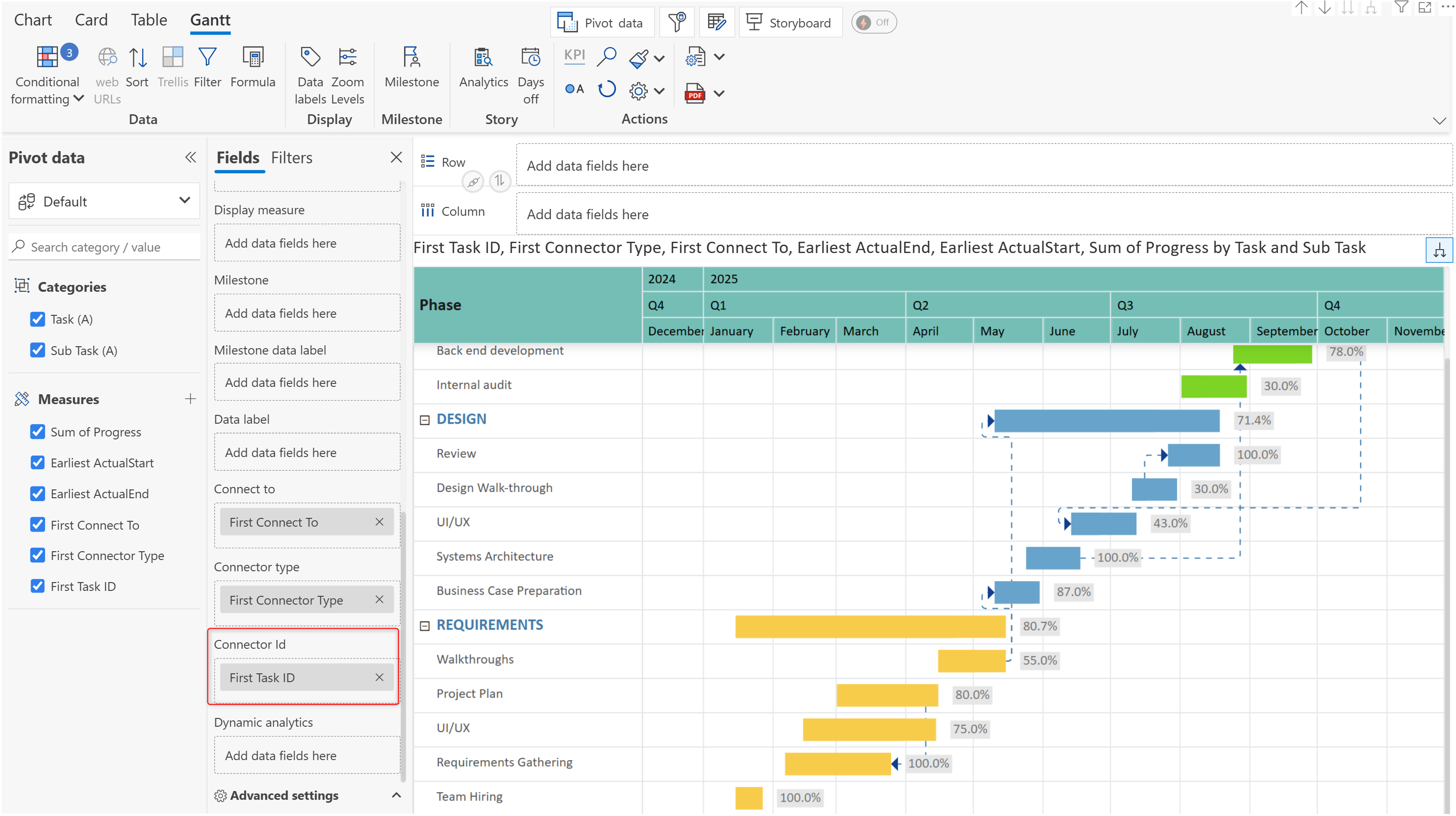
Uniquely identifies each dependency. In this example, we have 'UI/UX' subtasks under the 'Design' and 'Requirements' tasks - adding a connector ID ensures that the dependency is plotted correctly. Notice how the *Task ID* is used in the **Connect To** field instead of the subtask name.

<figure><img src="/files/IGMPDtMOVlHyP83xxmFs" alt=""><figcaption><p>Using connector IDs</p></figcaption></figure>

Map the Connector ID field to ensure dependencies are plotted accurately even if the task/subtask descriptions change in the source.

<figure><img src="/files/e7OdO3bYn7Urh8CsSdj7" alt=""><figcaption><p>Mapping connector IDs</p></figcaption></figure>


---

# Agent Instructions: Querying This Documentation

If you need additional information that is not directly available in this page, you can query the documentation dynamically by asking a question.

Perform an HTTP GET request on the current page URL with the `ask` query parameter:

```
GET https://docs.inforiver.com/analytics+/gantt-chart/gantt-connectors.md?ask=<question>
```

The question should be specific, self-contained, and written in natural language.
The response will contain a direct answer to the question and relevant excerpts and sources from the documentation.

Use this mechanism when the answer is not explicitly present in the current page, you need clarification or additional context, or you want to retrieve related documentation sections.